How to Sell Cryptocurrency and Withdraw to a Card Through Paybis
Step-by-step guide on how to sell Bitcoin, Ethereum or USDT through Paybis and withdraw funds to a Visa or Mastercard. Withdrawal methods, timing and fees.
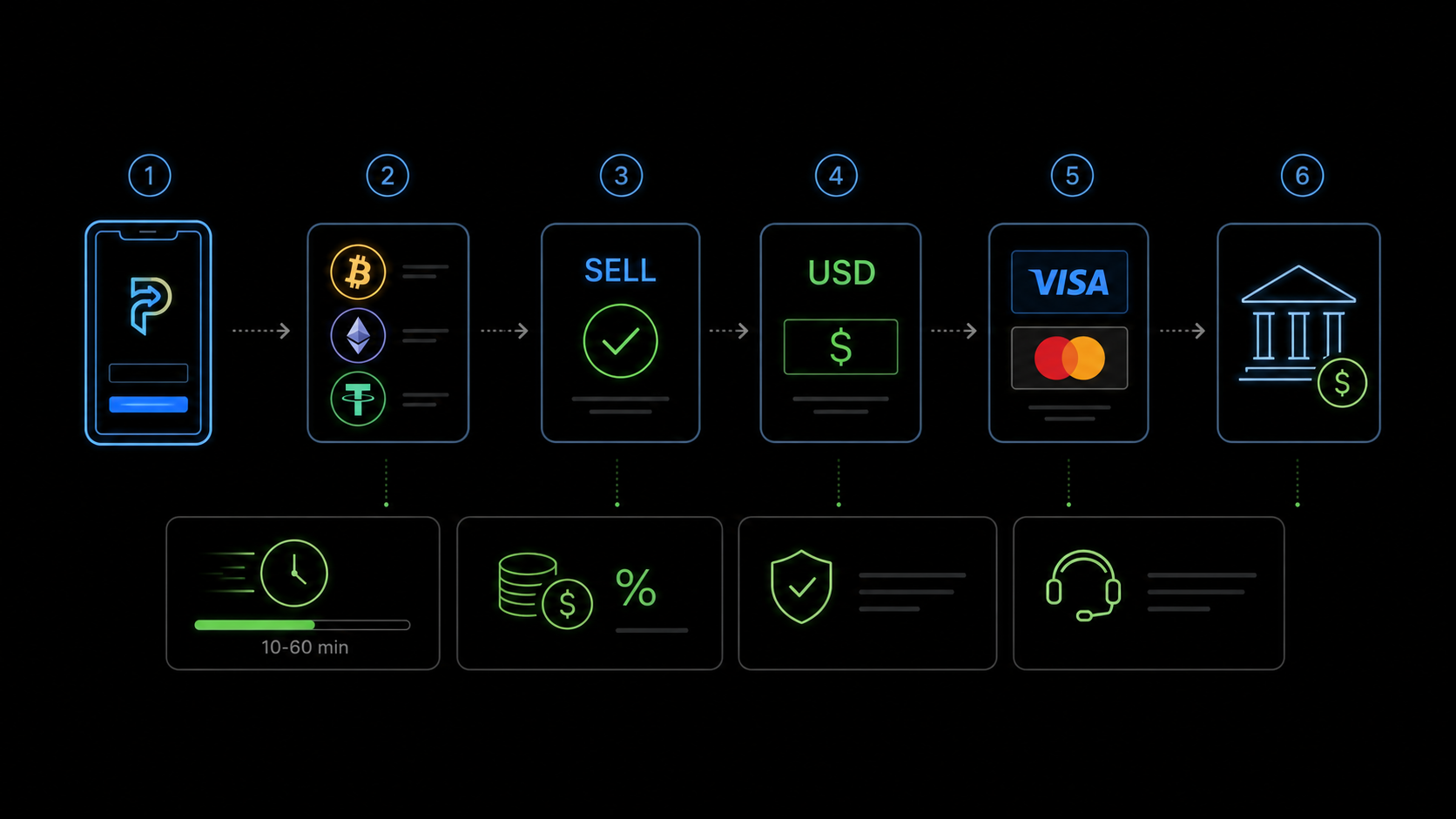
Buying cryptocurrency through Paybis is one operation. Selling and withdrawing funds back to a card is another. Paybis works in both directions: buying and selling cryptocurrency through the same service. This article explains how selling and withdrawing funds works in practice.
Which Withdrawal Methods Does Paybis Support
After selling cryptocurrency on Paybis, you can receive fiat funds in several ways depending on your country.
Visa or Mastercard — the fastest option. Funds are sent directly to your card. Dozens of currencies are supported: EUR, USD, GBP and many others.
SEPA bank transfer — for receiving EUR in European countries. Takes 1–3 business days.
SWIFT bank transfer — for international payments in various currencies. Timing depends on the intermediary banks involved.
The availability of a specific withdrawal method depends on your country. The current list is shown when you create a sell order in your Paybis account.
Step-by-Step Guide: Selling From an External Wallet
This is the most common scenario — when cryptocurrency is held in your personal non-custodial wallet, which is where Paybis sent funds when you made a purchase.
Step 1 — log in to your Paybis account. If verification was already completed during a purchase, it does not need to be repeated.
Step 2 — on the main screen, select the "Sell Crypto" option or click the icon on the left side of the converter and choose "Sell Crypto".
Step 3 — select the coin you want to sell (Bitcoin, Ethereum, USDT and others) and enter the amount. On the right, choose your payout method — Visa/Mastercard card or bank transfer — and currency.
Step 4 — enter your card details or bank account details. Click "Continue".
Step 5 — Paybis will show the exact amount of cryptocurrency to send and the wallet address to send it to. This is a critical step — write down or copy both the address and the amount carefully.
Step 6 — open your wallet, find the "Send" function and transfer exactly the amount shown to the Paybis address. Important: the blockchain network fee must be set separately — Paybis needs to receive exactly the amount stated in the order. Send a slightly larger amount to cover the network fee from the remainder, or check your wallet's documentation on how to send a "net amount".
Step 7 — after receiving at least one blockchain confirmation, Paybis will process the payout to your card or account.
How Long Does Withdrawal Take
Timing depends on the coin and withdrawal method.
Waiting for blockchain confirmation: Bitcoin — 30–60 minutes for the first confirmation. Ethereum — a few minutes. USDT TRC-20 — 1–3 minutes.
After confirmation is received, Paybis processes the payout. To a Visa/Mastercard — usually within a few minutes to a few hours depending on the bank. SEPA bank transfer — 1–3 business days.
For the fastest withdrawal: sell USDT TRC-20 with card payout — minimum blockchain wait time and fast payout processing.
Important Points to Know
Accuracy of the send amount is critical. Paybis expects to receive exactly the amount stated in the order. If you send less due to the network fee, the order may not be processed automatically. Always account for the network fee when sending.
The rate is locked for the duration of the order. After creating an order, you have a limited time to send the cryptocurrency — the rate is only fixed for that window. If you miss it, create a new order at the current rate.
Verification is required. Selling cryptocurrency requires the same KYC verification as buying. If you are already verified from a previous purchase, no additional action is needed.
Minimum amounts apply. Paybis has minimum order sizes for sell transactions — check the current limits in the interface when creating an order.
Selling From the Paybis Wallet
If you did not withdraw cryptocurrency after purchasing and it remains in the Paybis internal wallet, selling is simpler: no need to send funds manually. Select "Sell Crypto", choose the coin from the internal wallet, select your payout method — and Paybis handles the transaction automatically.
This is faster than selling from an external wallet. However, storing significant amounts on the platform long-term is not recommended — a personal non-custodial wallet is a better option for storage.